Teams and projects
Create the teams, then the projects they run, and share out the roles.
A project is the working frame of a product. It is run by exactly one team of the organisation and identified by a key, for example PORTAIL. A team can run several projects.
Create a team
The owner and administrators open Projects in the top bar, then:
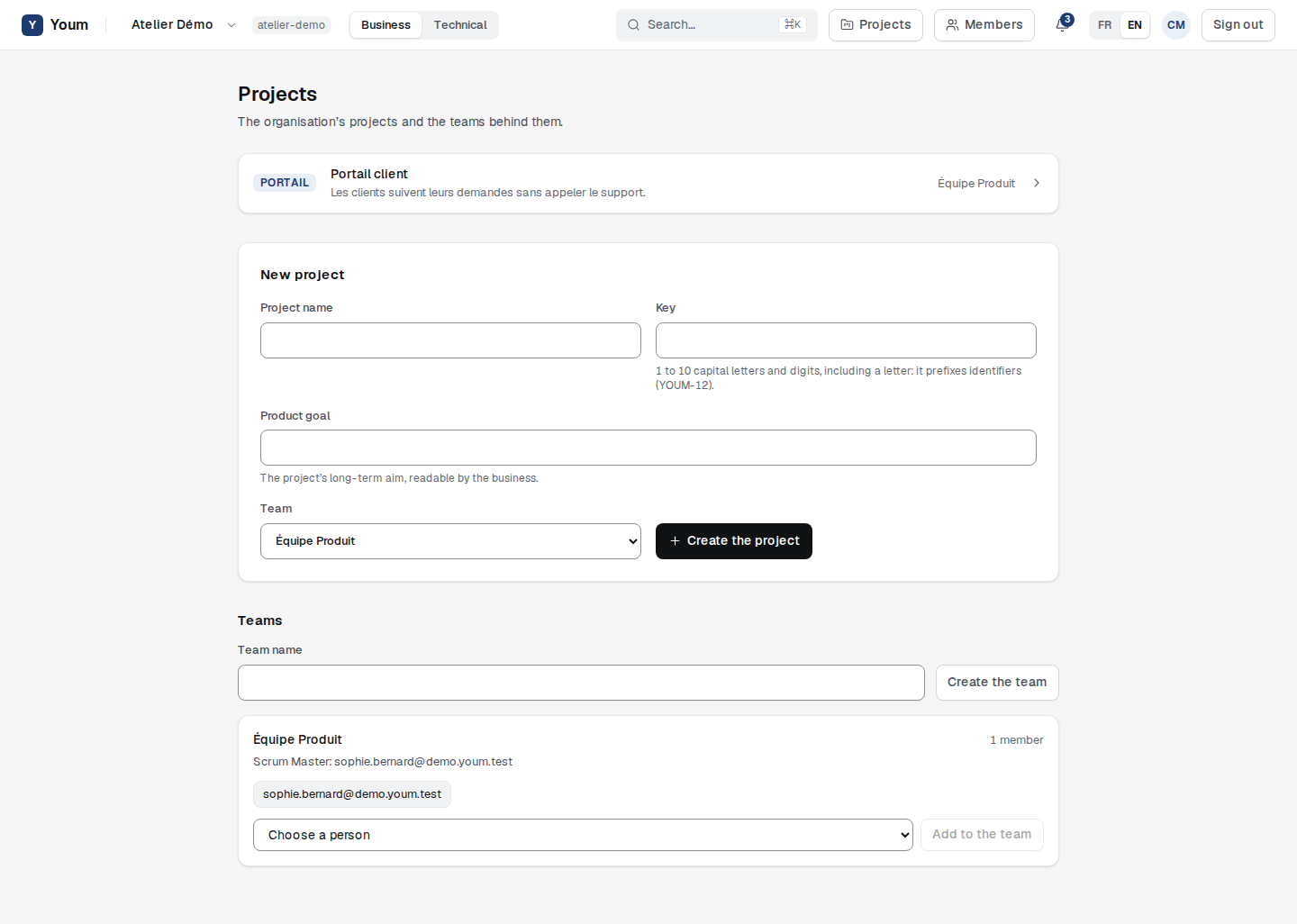
- enter the Team name and choose Create the team;
- add people with Add to the team. Only members of the organisation join a team: a guest, from outside, never does;
- choose Make Scrum Master next to the person who will hold that role. The Scrum Master is part of the team.
Create a project
On the same page, under New project, enter:
- the Project name;
- its Key, 1 to 10 capital letters and digits, including at least one letter. It is unique in the organisation and prefixes the project’s identifiers (PORTAIL-12);
- its Product goal, required: the long-term aim readable by the business;
- the Team that runs it.
A key that breaks these rules is refused with rule PRO-001. The person who creates the project becomes its first Product Owner.
Share out the project roles
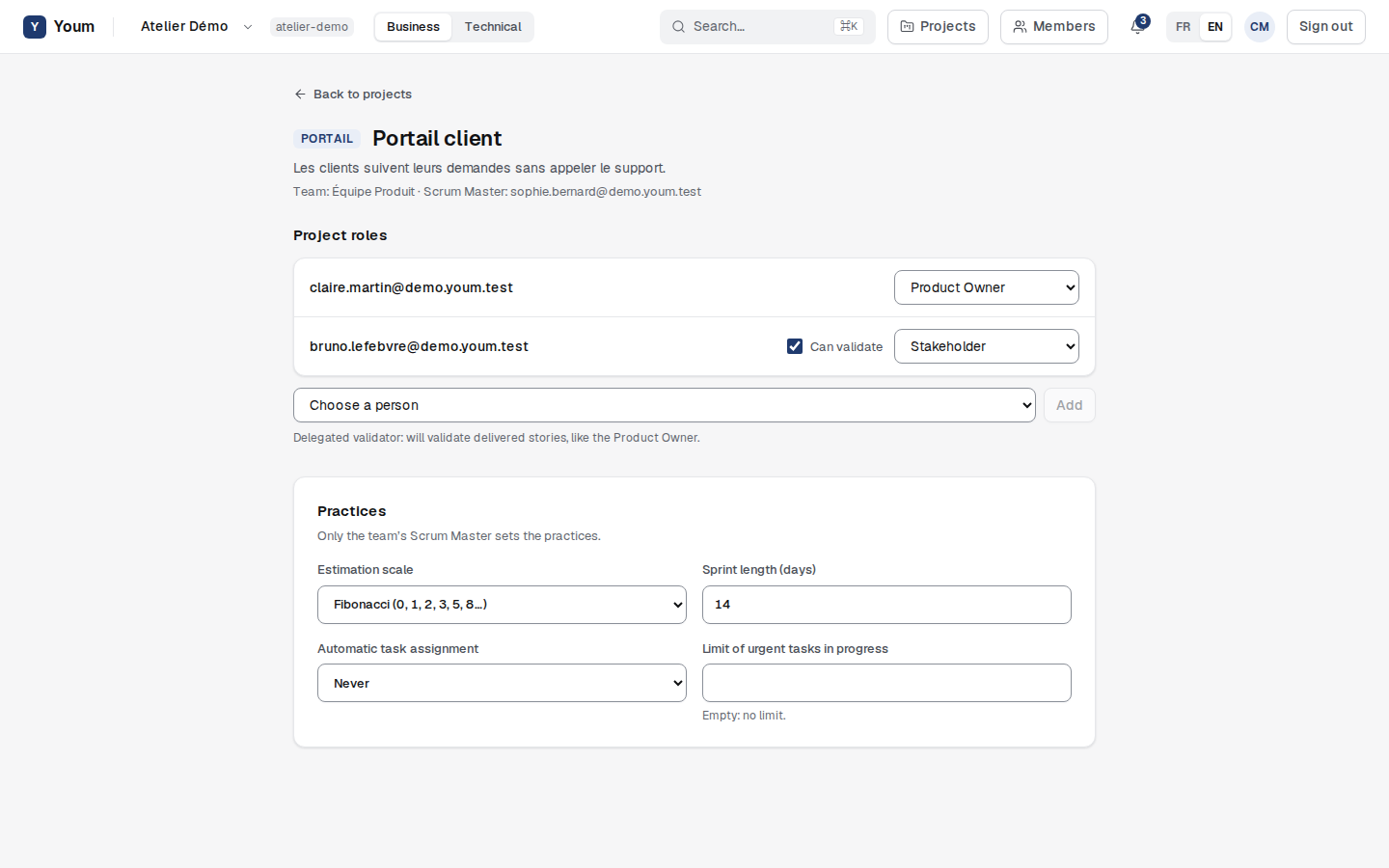
Open a project from the list. Under Project roles, Product Owners and administrators add people and choose their role:
| Role | What the person does in the project |
|---|---|
| Product Owner | Owns the backlog and validates delivered stories. |
| Stakeholder | Proposes, follows and comments on requests. A guest can only be a stakeholder, and only sees the projects shared with them. |
A project always keeps at least one Product Owner.
A Product Owner can tick Can validate for a stakeholder: they become a delegated validator and will validate delivered stories, like the Product Owner, once validation arrives in Youm.
Set the practices
Only the team’s Scrum Master sets the project’s practices; others see them read-only.
- Estimation scale: Fibonacci, integers, or no estimation.
- Sprint length: 5 to 30 days, 14 by default.
- Automatic task assignment: never, when the task is created, or when it starts.
- Limit of urgent tasks in progress: 1 to 20, or none if the field stays empty.