Follow a request and be notified
Follow a request, receive notifications in Youm and by email, and set your preferences.
Youm notifies the people concerned when a request moves forward. Notifications arrive in the bell, at the top of the screen, and by email according to your preferences.
Follow a request
You automatically follow the requests you propose and the ones you comment on. To follow another request, open its details and choose Follow; Unfollow stops the notifications for that request.
What notifies you
- A status change on a request you follow: for example, the request moves from “Request sent” to “Accepted”.
- A comment on a request you follow.
- A mention: someone cites you in a comment, even if you do not follow the request.
- A request awaiting validation: the Product Owner and delegated validators are notified when a request moves to Awaiting validation.
You are never notified of your own actions, and one action sends you only one notification per request, the most specific one.
The bell
The bell shows the number of unread notifications and updates live. Open it to see the latest ones; clicking a notification marks it as read and opens the request. Mark all as read marks them all.
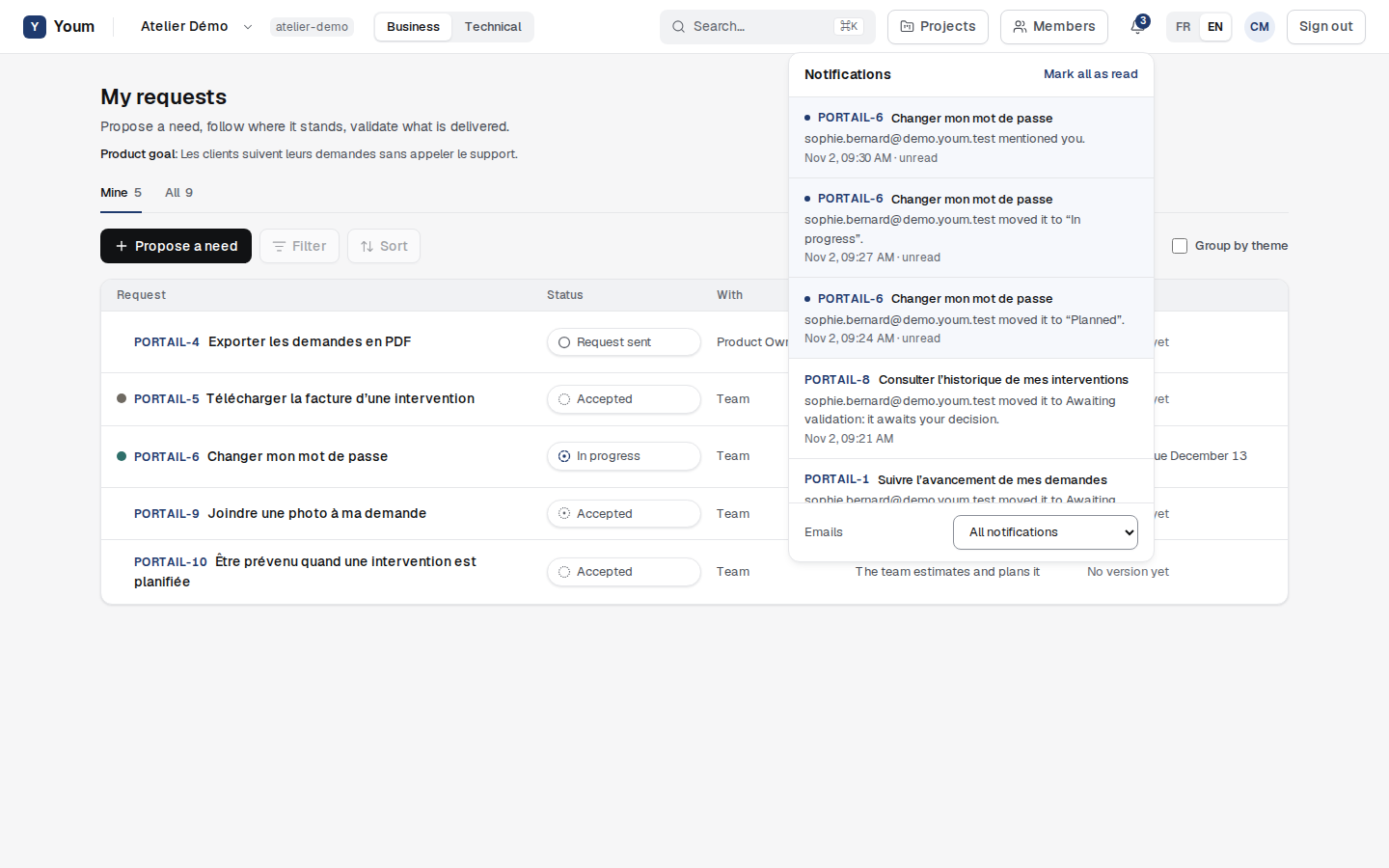
Emails
Each notification can also reach you by email, in the language chosen when you signed up. At the bottom of the bell, Emails sets what you receive: All notifications, Mentions only or No email. Notifications always stay visible in the bell.