Create your organisation
Name the organisation that will bring your teams and projects together.
An organisation brings your teams and projects together. Its data is kept separate: members of another organisation cannot access it.
On your first sign-in, if you do not belong to any organisation yet, Youm offers to create one.
Name the organisation
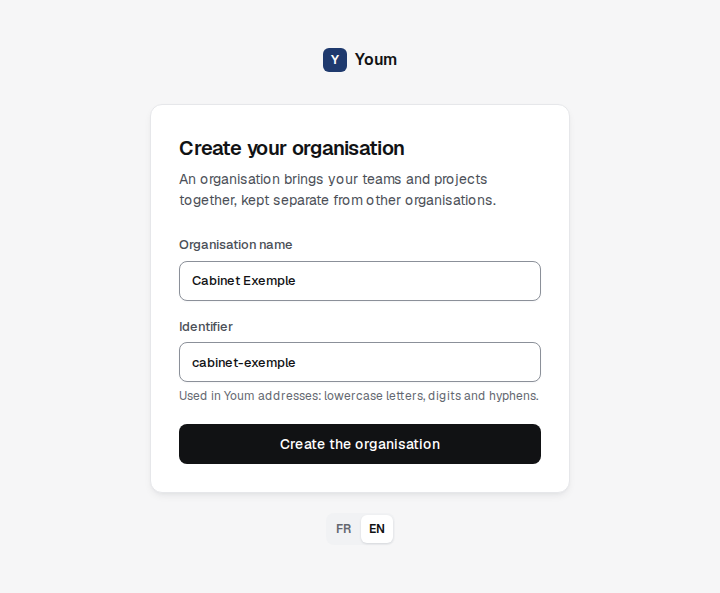
- Enter the Organisation name, up to 80 characters.
- Youm suggests an Identifier based on the name: lowercase letters, no accents, words joined by hyphens. You can change it.
- Choose Create the organisation.
You become the owner of the organisation and Youm confirms it by email. You then land on the Business view.
Choose the identifier
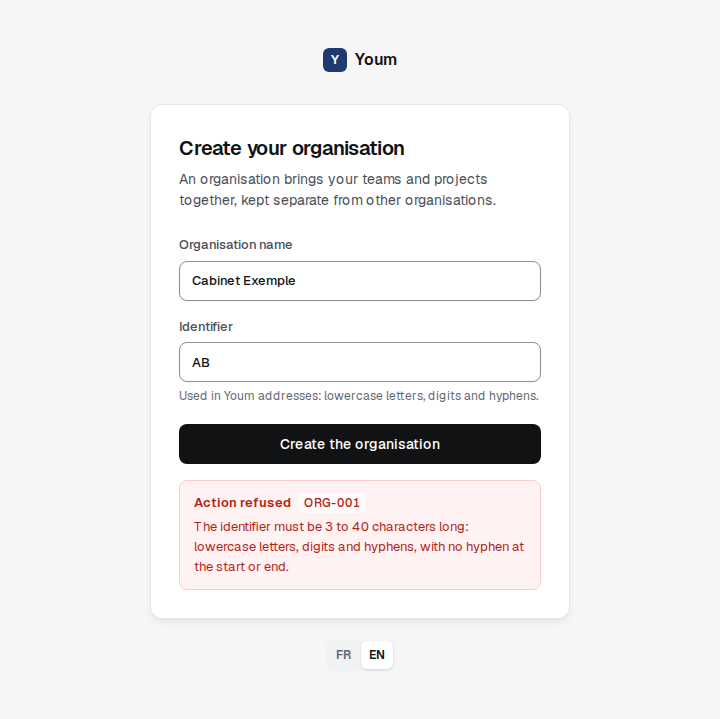
The identifier appears in Youm addresses. It has 3 to 40 characters: lowercase letters, digits and hyphens, with no hyphen at the start or end. It is unique: if it is already taken, Youm asks you to pick another one.
If the identifier breaks these rules, Youm refuses to create the organisation and explains why below the form. The code shown next to “Action refused”, here ORG-001, helps support find the rule involved.