Business and Technical views
Two ways to see the same requests, depending on your role.
Youm shows the same requests in two ways. The Business / Technical switch at the top of the screen moves between them: the data stays the same, only the presentation changes.
Business view: my requests
The Business view is for the people who express needs and validate what is delivered. It shows each request’s status in business words, who it is with and the next step, without points or sprints.
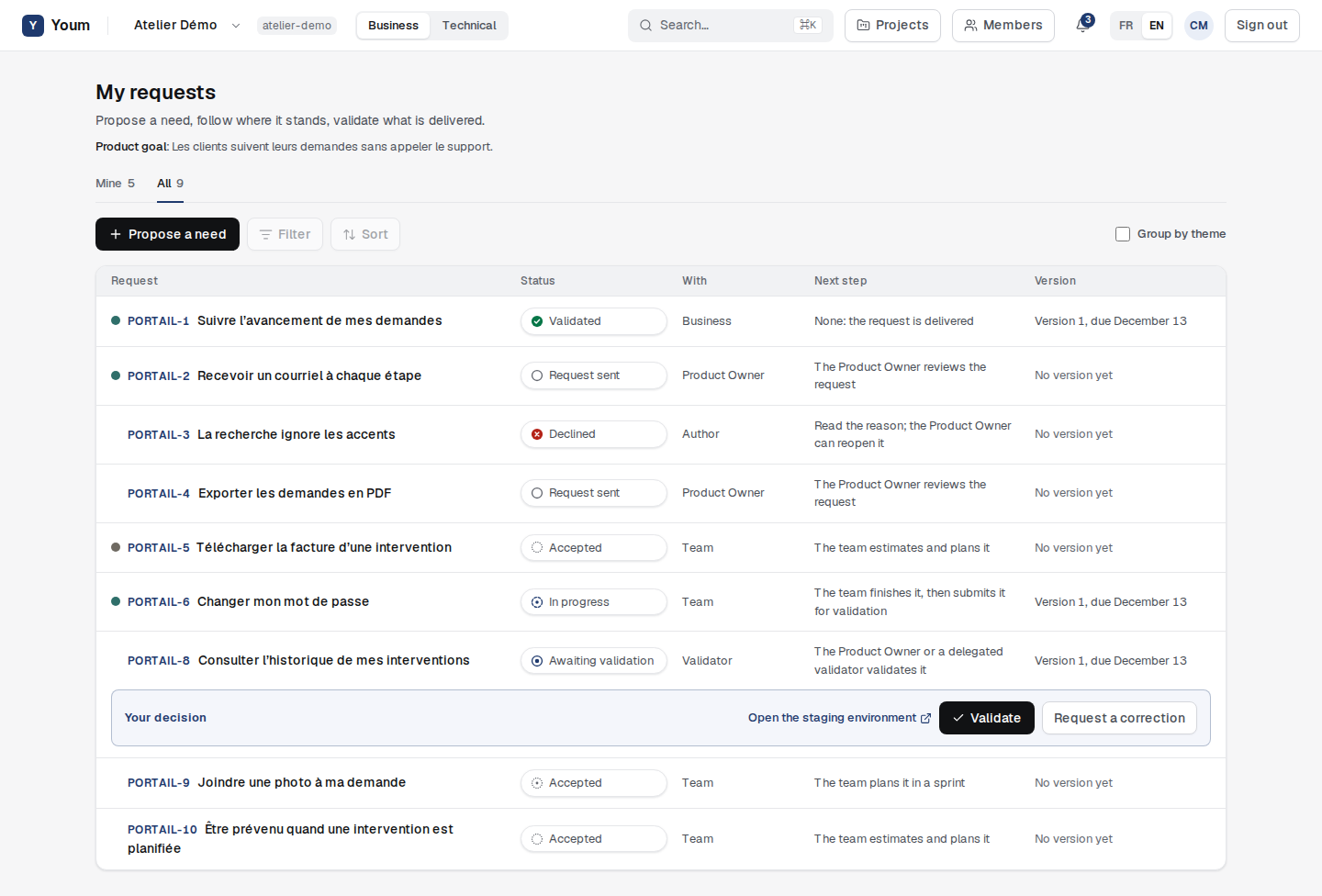
Every request follows the same path: Request sent, Accepted, Planned, In progress, Awaiting validation, Validated.
Technical view: the backlog
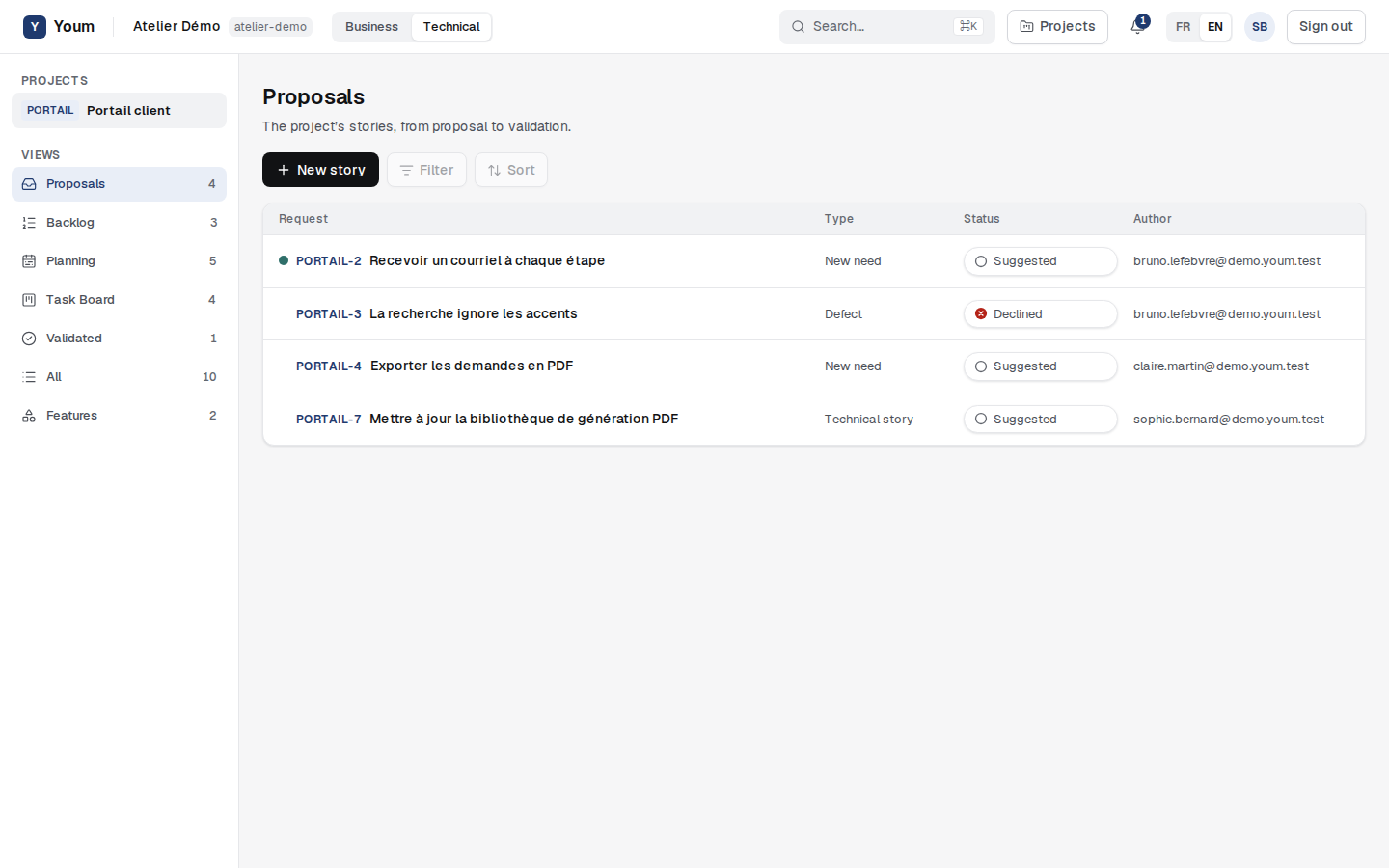
The Technical view is for the Scrum team. A side menu, on the left, lists the Projects then the Views of the current project, each with its number of items: Proposals, Backlog, Planning, Task Board, Validated, All and Features. On a phone, the Menu button opens it as a drawer; it closes after a choice, with Escape or with a tap outside. The list shows each story’s type, status and author. The Backlog view is described in the chapter “Estimate and rank the backlog”.
Decide on a proposal
The Product Owner opens a proposal from the Proposals view and chooses:
- Accept: it enters the backlog;
- Decline: they enter a reason, required, which the author will read;
- Reopen, for a declined proposal: it becomes Suggested again.
Only the Product Owner takes these decisions. For others, the buttons are greyed out and the reason is written below.
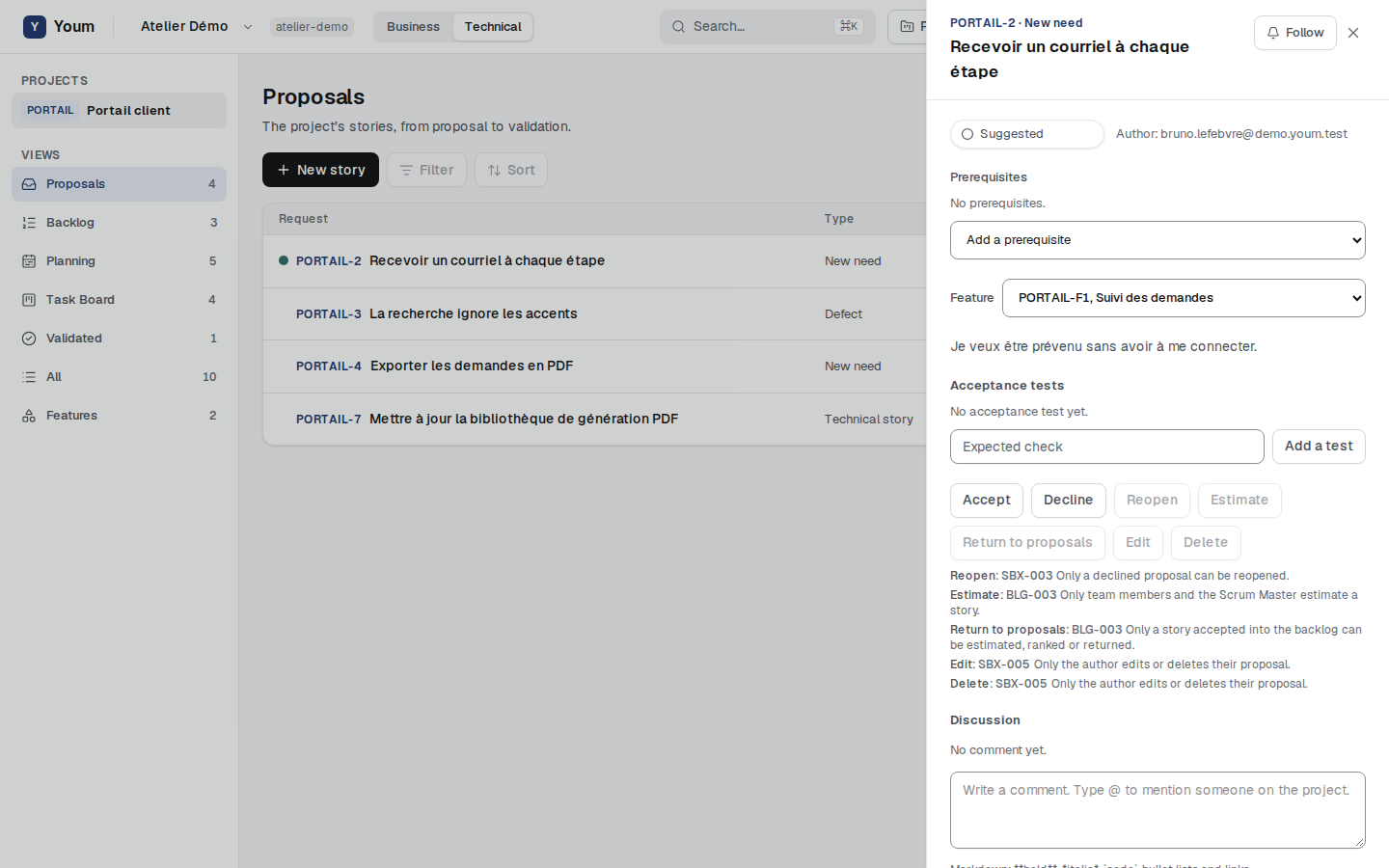
In this version, the Filter and Sort buttons, as well as search, are visible but not active yet.
How states match
The same story carries a state name in each view:
| Technical view | Business view |
|---|---|
| Suggested | Request sent |
| Accepted, Estimated | Accepted |
| Planned | Planned |
| In progress | In progress |
| Awaiting validation | Awaiting validation |
| Validated | Validated |
| Declined | Declined |