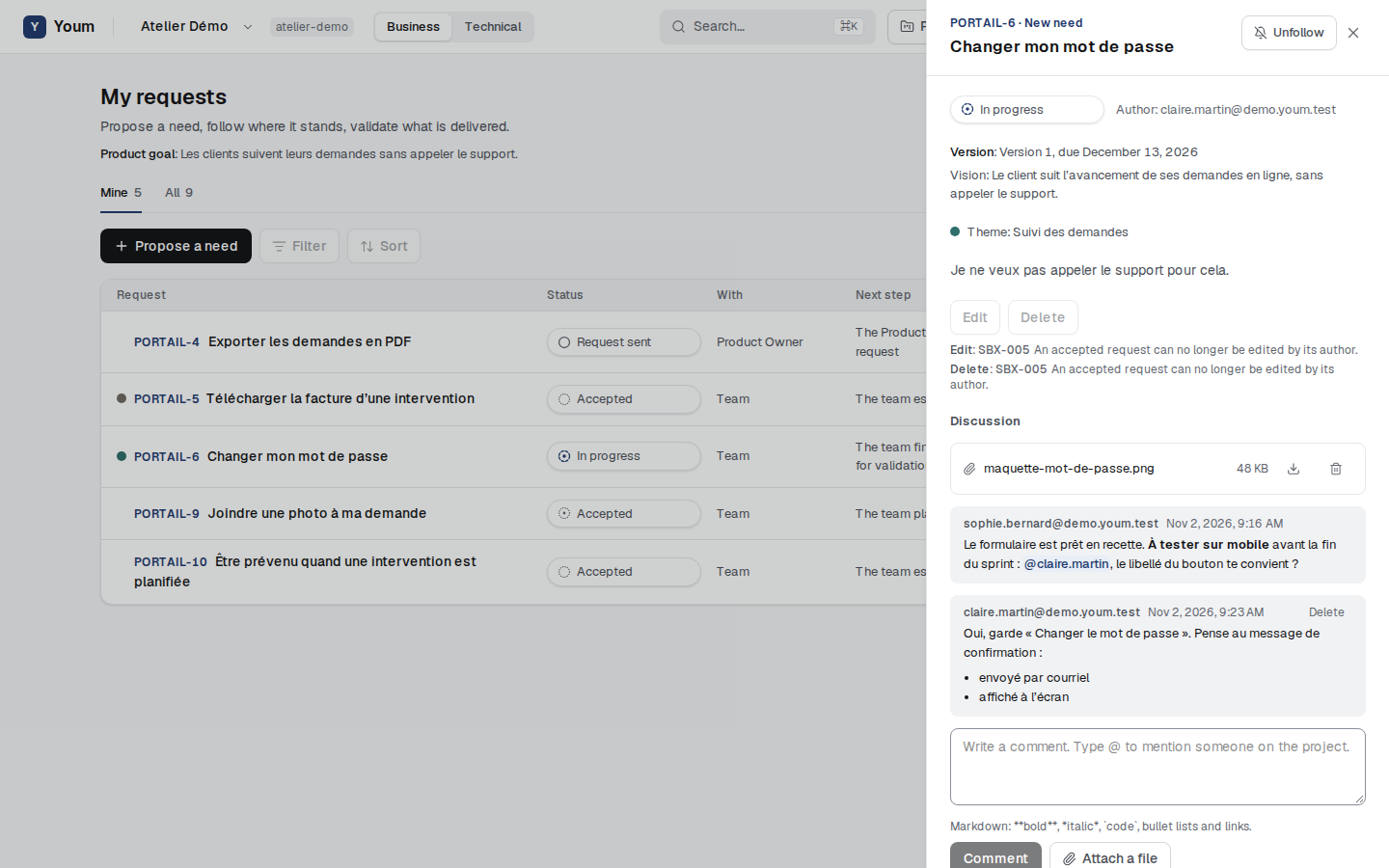
Comment and attach files
Discuss a request in Markdown, mention someone on the project and attach files.
Each request has its Discussion, at the bottom of its details, in the Business view as in the Technical view. The team and the Product Owner take part in the discussion of every request of the project; a stakeholder, in that of their own requests.
Comment
Write in the Your comment field, then Comment. The text accepts simple Markdown: bold between double asterisks, italic between asterisks, code between backticks, bullet lists starting with a hyphen, and links written as [text](https://…). A blank line separates two paragraphs.
To mention someone on the project, type @ then the start of their address: Youm suggests the matching people. Pick with the arrow keys then Enter, or with a click. The mention shows highlighted in the comment. Only someone on the project can be mentioned (rule COL-001). A guest does not see other people’s addresses, so they cannot mention anyone.
You can delete your own comments.
Attach a file
Attach a file adds a file to the request, up to 10 MB per file and 30 files per request. Files are stored separately for each organisation. Only the people who can see the request get a download link, valid for one minute. Deleting your proposal also deletes its files.
The person who attached a file and the Product Owner can remove it.