Tasks and Task Board
Split stories into tasks and move them forward during the active sprint.
During the sprint, the team splits each story into tasks and moves them forward on the Task Board. Tasks belong to the Technical view: the Business view never shows them. Everything happens in the Task Board view.
Read the Task Board
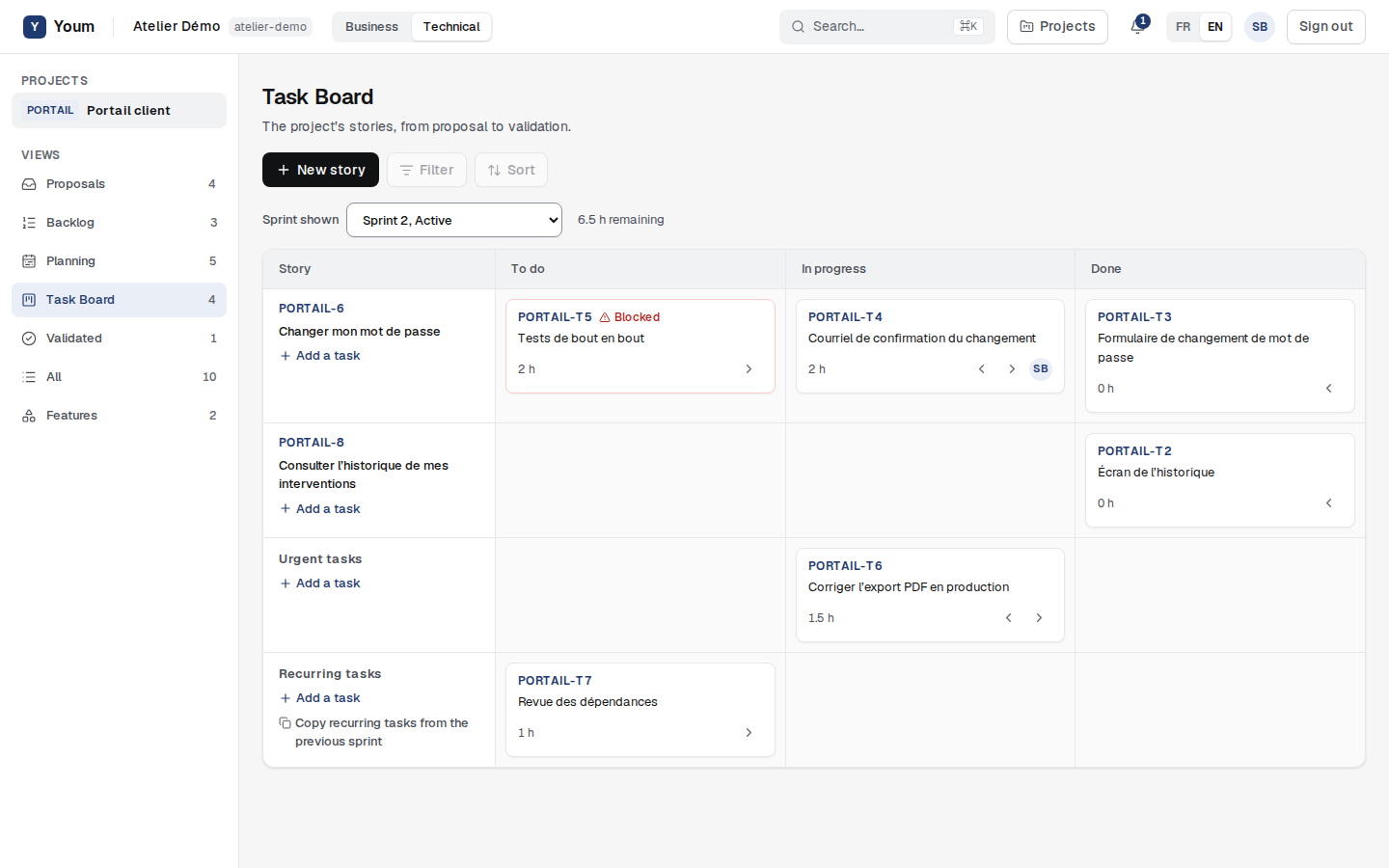
The Task Board shows the active sprint, or the next upcoming one if there is none. Sprint shown lets you pick another one. The columns are To do, In progress and Done: one row per story of the sprint, then a lane for Urgent tasks and another for Recurring tasks. Each card shows the task identifier (for example PORTAIL-T2), its title, its remaining time in hours and its assignee’s initials.
Create tasks
Team members and the Product Owner choose Add a task in the right row, then enter a Task title and a Remaining (h) value, in half hours.
- A story task is created on a Planned or In progress story. It follows its story if the story changes sprint, and goes back to To do if the story is removed from its sprint.
- An urgent task covers unplanned work in the sprint, outside any story. The project can limit the number of urgent tasks in progress (rule EXE-002).
- A recurring task comes back every sprint. Copy recurring tasks from the previous sprint copies them, to do and without an assignee.
Move a task forward
The arrows on a card move it one column. A task only moves during the active sprint (rule EXE-005). When it first starts, its initial estimate is frozen; once done, its remaining time drops to zero. In an active sprint, bringing the remaining time down to zero also finishes the task, and giving it hours again reopens it.
The assignee, the creator, the Product Owner and the Scrum Master change a task; if nobody is assigned, any team member can (rule EXE-007). Only the creator, the Product Owner and the Scrum Master delete a task.
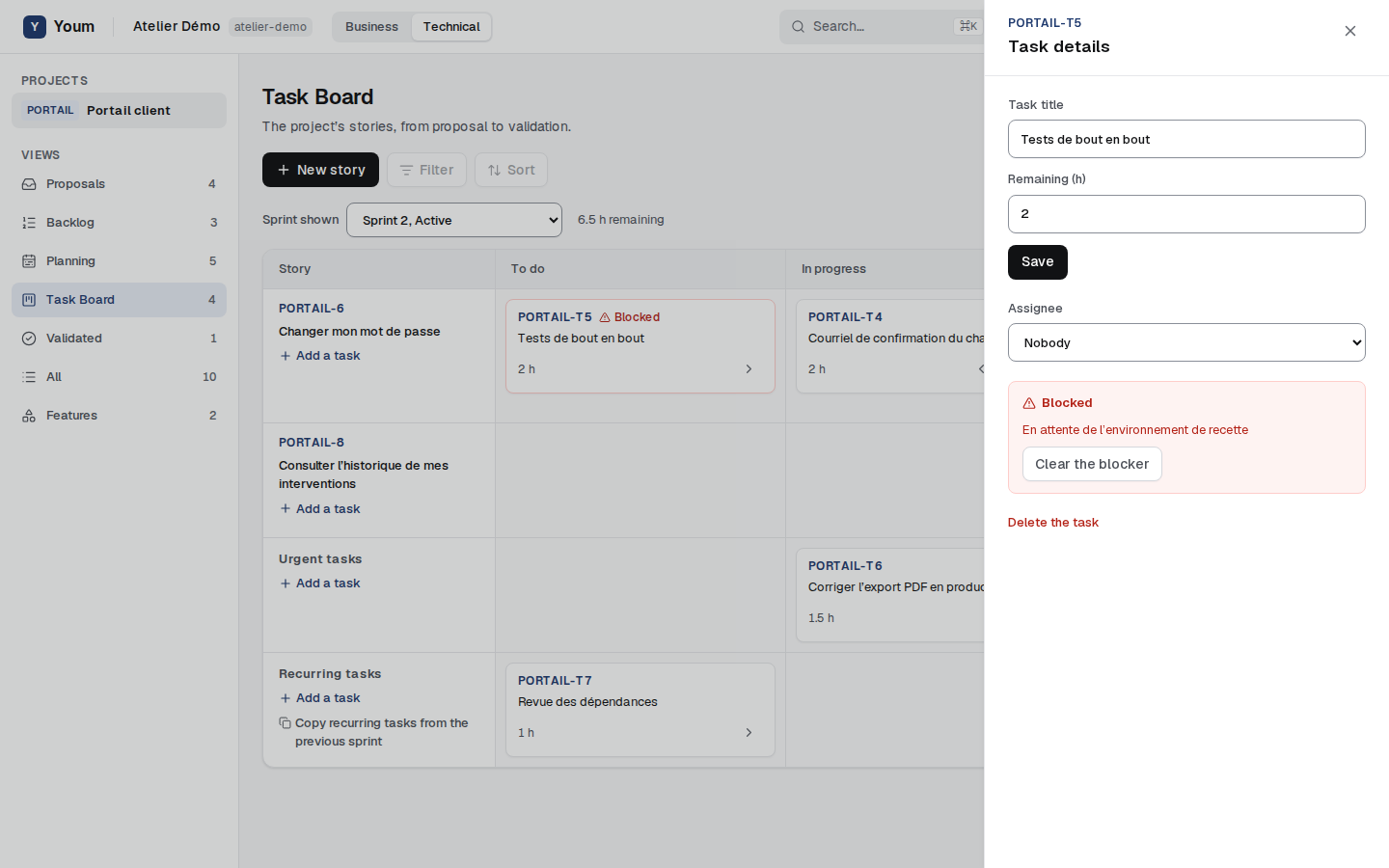
A task’s details, opened by clicking its card, change its title and remaining time, choose its Assignee and let you Flag a blocker with what is blocking. A blocked task’s card shows Blocked; Clear the blocker removes it.
When the last task is done
When all the tasks of an In progress story are done, its row shows Ready for Awaiting validation. The story does not change state: a person on the team will present it for validation.