Acceptance tests and validation
Check a story with its acceptance tests, move it to Awaiting validation, then validate it or request a correction.
A delivered story awaits the business’s decision. Its acceptance tests say what to check; validation is the final decision of the Product Owner or a delegated validator.
Define acceptance tests
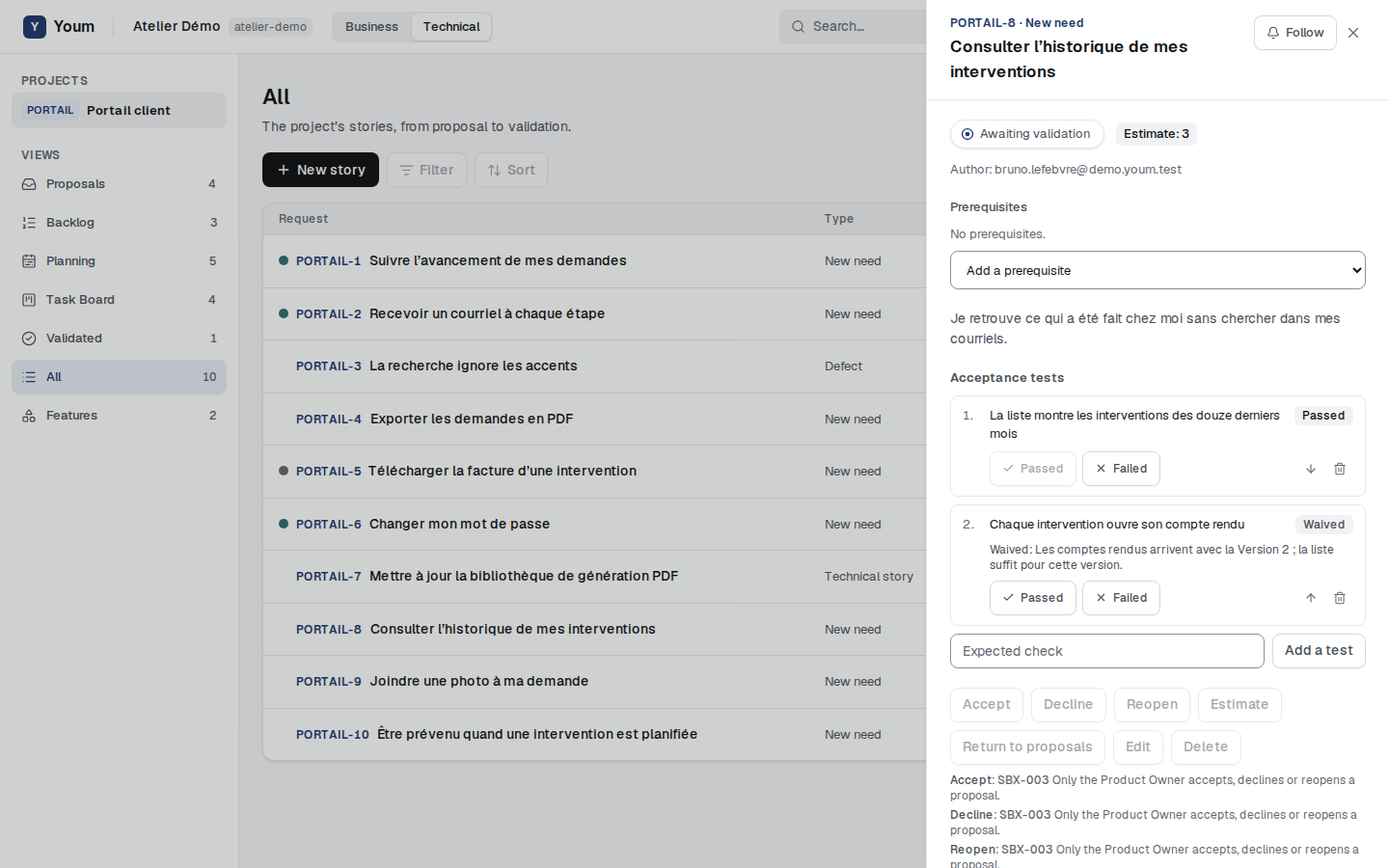
In a story’s details, in the Technical view, the team and the Product Owner enter an Expected check then choose Add a test. Tests are numbered in order; a test’s arrows move it up or down one place, and the bin deletes it. A new test is To check.
When the story is In progress or Awaiting validation, the team records each test’s result: Passed or Failed (rule ACC-002). A new result lifts any waiver, and the history keeps a trace of it.
Grant a waiver
A failed or unchecked test blocks validation. Only the Product Owner can exempt it, while the story is In progress or Awaiting validation: Waive, on that specific test, with a mandatory Reason for the waiver. The test becomes Waived, distinct from Passed, and the waiver goes into the story’s history (rule ACC-006). A delegated validator cannot waive.
Move the story to Awaiting validation
When all the story’s tasks are done, a team member chooses Move to Awaiting validation. This is refused while a task is still open (rule ACC-004). This step always belongs to a human on the team: an agent never moves a story forward. While the story is awaiting validation, its tasks no longer move and it stays in its sprint.
Validate or request a correction
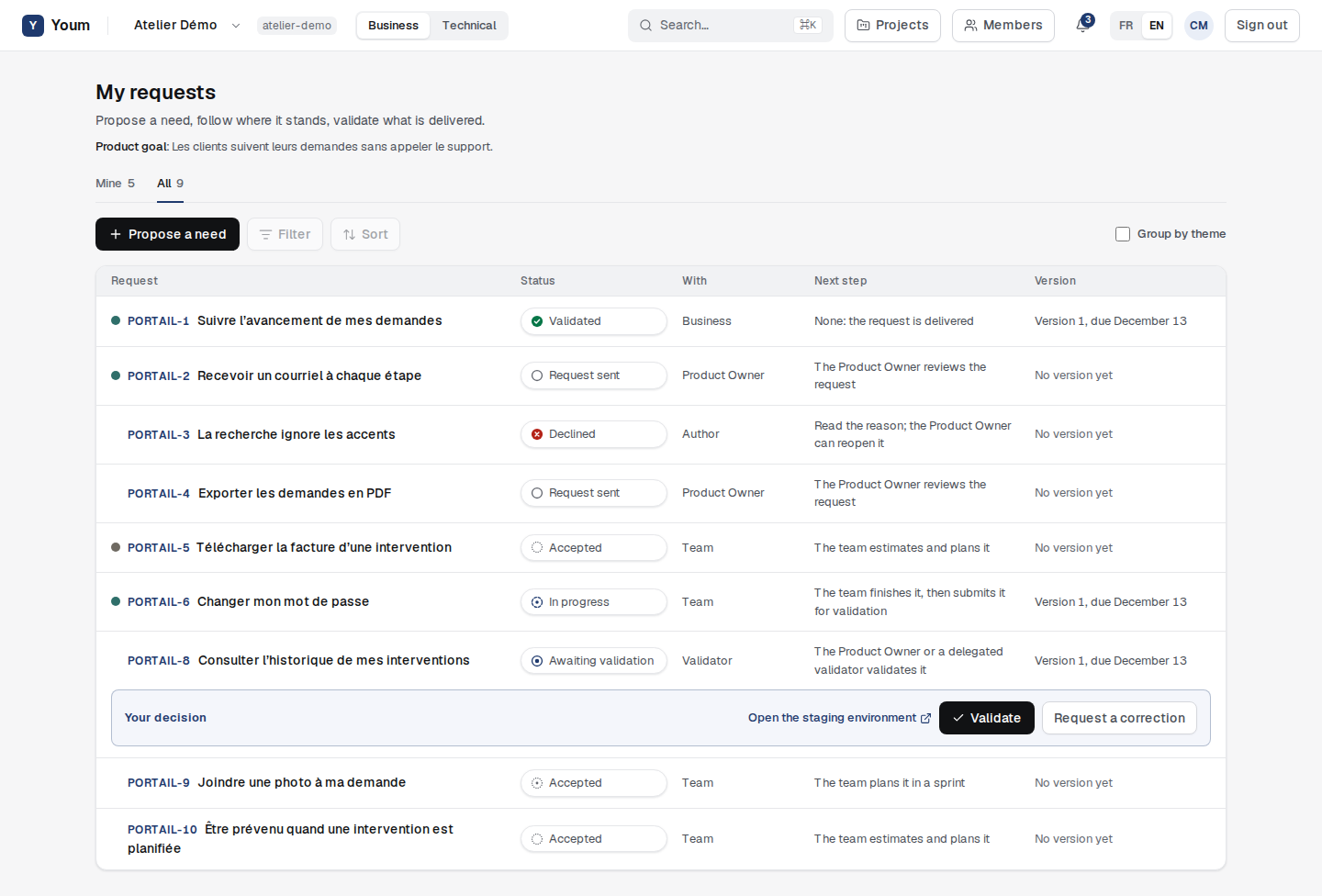
The Product Owner and delegated validators see Your decision under each request awaiting validation on the business board. Without opening the request, they can:
- Open the staging environment, the link to the staging environment;
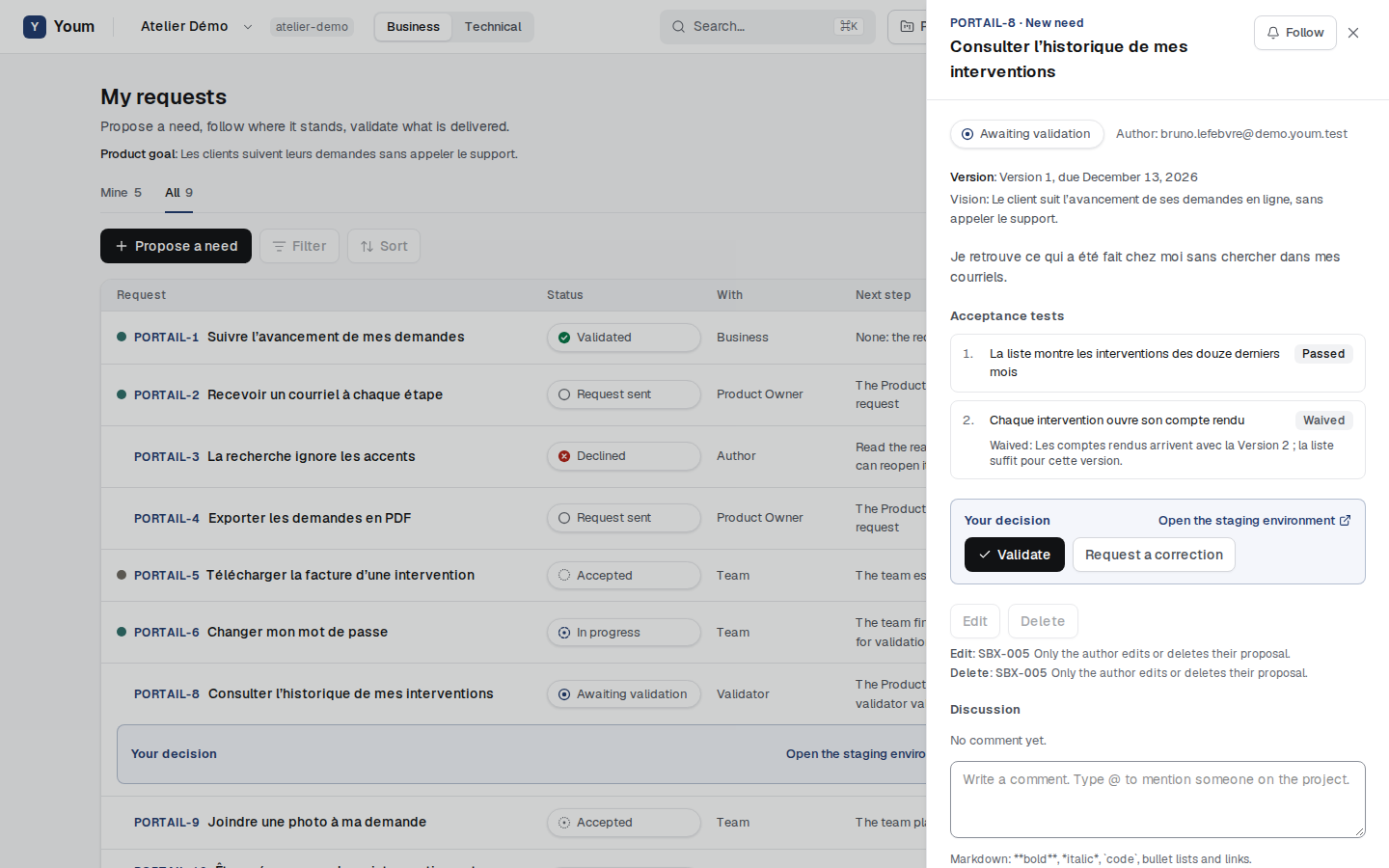
- Validate, if each test is passed or waived (rule ACC-006); the request becomes Validated;
- Request a correction, with a mandatory comment, then Send: the request goes back to In progress, its tests keep their results, and the comment stays in its history.
The first decision is enough: once the request is validated or sent back, another validator gets a refusal. A technical story, absent from the Business view, is decided from its details in the Technical view.
The request’s details also show its tests and the same decision.
The staging link
In the Planning view, the Product Owner enters the Project staging link and, if needed, the Release staging link, which replaces it for that release’s stories.